Get the Best Woodworking Software That Helps and Not Hinders
It’s a hard truth, but your current approach to design could be setting you back. It might be wasting your time and costing you money.
As a woodworker, you know that getting the right tools can make all the difference in your work.
Whether you’re working on personal projects or commercial ones, we know you need to spend less time planning and more time creating. SketchList 3D’s woodworking software makes it easy to create quality designs, reducing the amount of time you spend on each project.
If you can’t produce high-quality drawings and plans for your woodworking, you’re toast. And even if you can create drawings, you still need to make revisions quickly and react instantly to changing circumstances if you want to remain ahead of the competition.
Having the right woodworking software tools can make all the difference. Using the wrong software, however, is really counterproductive.
Traditional Design Approaches Just Don't Cut It Anymore
Sketching out designs on paper is time-consuming and challenging to modify. You are wasting time by frequently preparing and changing your drawings. And instead of impressing your prospects with your proposal, hand-drawn proposals create doubt, raise too many questions, and fail to separate you from the pack of other bidders.
While CAD software may seem like a time saver, it’s really a time sink. It’s draining to learn and sorely limited in its ability to quickly make adjustments. And when it comes to cut-lists or material diagrams? Don’t even ask!
From Bottlenecks to Confident Decisions
If you can’t produce high-quality drawings and plans for your woodworking, you’re toast. And even if you can create drawings, you still need to make revisions quickly and react instantly to changing circumstances if you want to remain ahead of the competition.
Having the right woodworking software tools can make all the difference. Using the wrong software, however, is really counterproductive.
How It Works
Working with SketchList’s Woodworking 3D Modeler Involves Only Three Steps
The 3D rendering engine uses your design calculations and cut angles to generate 3D models instantly on the screen. The built-in features and analytical tools automatically generate the layouts, spreadsheets, drawings, cut lists, and purchase list reports for all your needs. From chairs and benches to tables and closets, our woodworking software makes project guesswork obsolete.
01
Complete your purchase.
02
Check your email for instructions.
03
Download the files to your device.
Foundations
What is Woodworking Design Software?
Woodworking design software is a professional-grade design tool that offers powerful, advanced features that give you the ability to easily create original designs. In addition, you can re-use designs and modify them for other jobs. With its diverse drawing tools, it can be used by woodworkers of all levels of experience – professional woodworkers and hobbyists alike.
Your Path to Expertise
The Roadmap to Becoming a Master Wood Project Designer
Choose a woodworking and carpentry design program that is better at streamlining your workflow. Whether you are new to the world of woodworking or can recite the different wood types in your sleep, here are the steps to take to bring your woodworking designs to the next level:
01
Sign Up for Free
Download and install SketchList 3D and access the full woodworking design software experience with our free software 30-day trial.
As you get started with your first practice project in this new world of 3D carpentry, we are only a call, email, or text away. We also have a comprehensive collection of supporting materials that will guide you along your way.
04
Attend the Weekly Workshops with the Experts
Fast-track the learning curve by joining our weekly workshops where we explain in detail how the tools work, discuss some tips and tricks, and answer any and all questions about our woodworking design program.
Your Competitive Edge
Discover how the Best Woodworking Design Software Gives You an Added Advantage
Close More Deals
2D Drawings with pencil and paper as part of the design and drafting process just don’t cut it.. Show your clients your woodworking ideas in a realistic 3D model, and the project is as good as yours.
Automate tedious work
With a few clicks, you can reproduce recurring design elements and generate wood-cutting lists, shop drawings, and material layouts.
Save time & money
Designing furniture and 3D modeling unique, functional pieces is now faster and more cost-effective with our in-built features and state-of-the-art drawing software.
Reduce error
Make sure you and your clients visualize and have the same goal from the get-go.
Revise with ease
After a 3D model is complete, your client will have a much better idea of how the final project will look. If something in the plan needs to be changed, you can do so quickly with minimal effort.
Transform the Way that You Bring your Designs to Life
Whether you’re a commercial woodworker or just starting out, our drawing software has the tools to help sharpen your skills. We have helped nearly 5,000 users go from wasting hours in their process to creating quality, detailed woodworking design plans and schematics for their projects in less time than they’d imagined possible. We’re here to give you the same dedication to your journey – no matter what stage you’re at.
Our Promise to You
When you choose our carpentry design software, you’re choosing a tool that will help you achieve complete success in your woodworking projects. We understand the importance of having a professional-grade design tool that is easy to use and reliable – something that will save you time and frustration.
After dedicating a little bit of time to learning our wood modeling software, we guarantee that you will walk away with confidence that you are making the best decision for your woodworking needs.
Use only the best woodworking design software tools to model everything from full kitchens and offices to entertainment centers, display cases, cabinets, beds, and drawers.
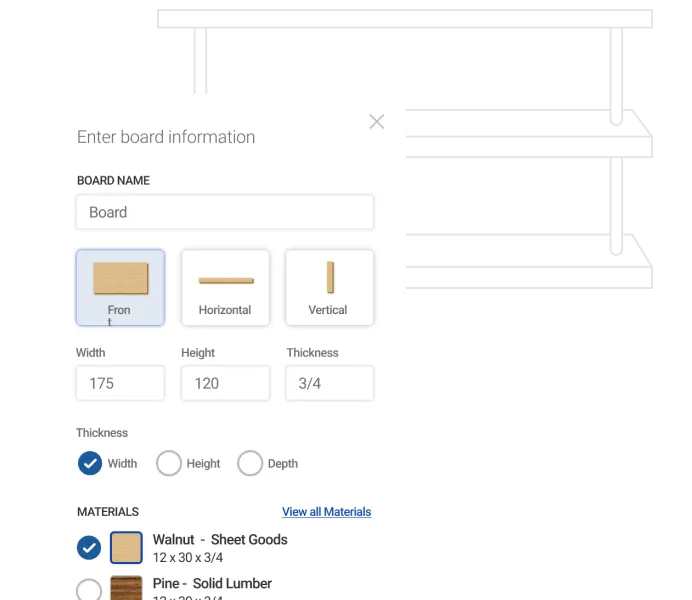
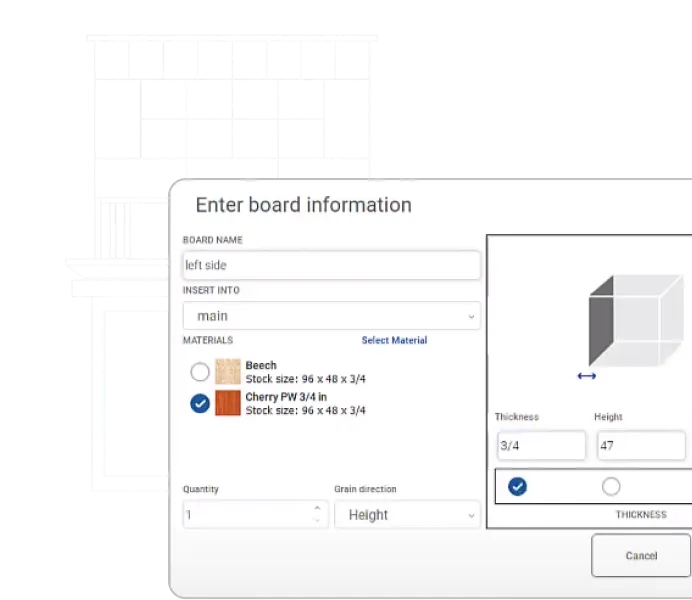
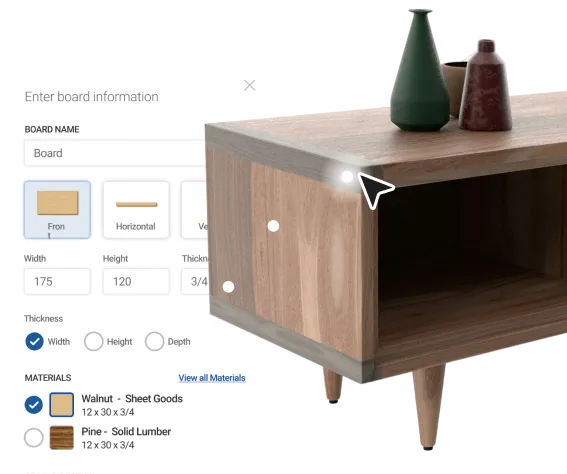
Working with virtual 3D model boards replicates the methods, woodworking, and practices you use in the shop.
Place important details on board edges. Contours, joinery, shaping, doors, drawers, and cabinets can be added with a few mouse clicks.
3D boards make modeling feel like working in the shop.
Drag and snap features help cut proposal time and ensure accurate placement of adjoining objects every time.
Commonly used board joinery happens when you select the board and click to apply the joint. Add a few sizing points and you have it.
Cut virtually any shape onto a board surface. Add curves, cut angles, notches, and create circles or ovals in minutes.
Arrange boards in your design quickly and accurately, with the ability to make copies.
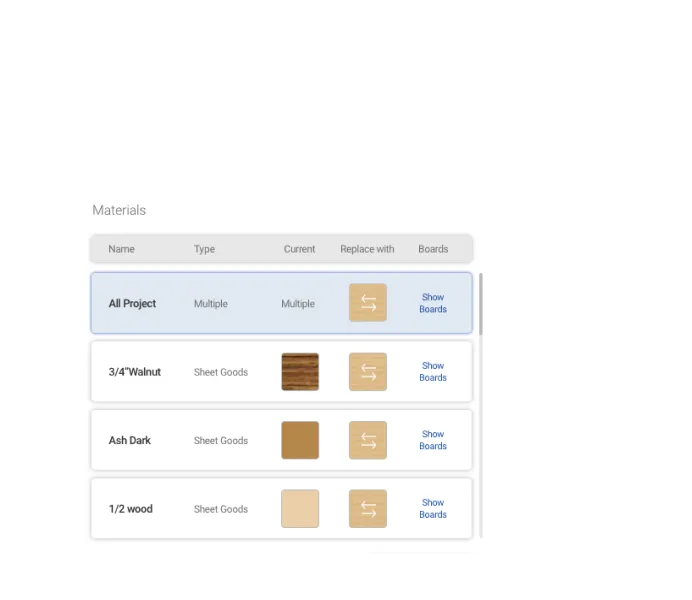
Dynamic material database with precise measurements, textures, and opacity that are easily added to or modified. Use any material you can envision.
Get access to templates and other tips and tricks for optimizing your workflow and improving quality and accuracy.
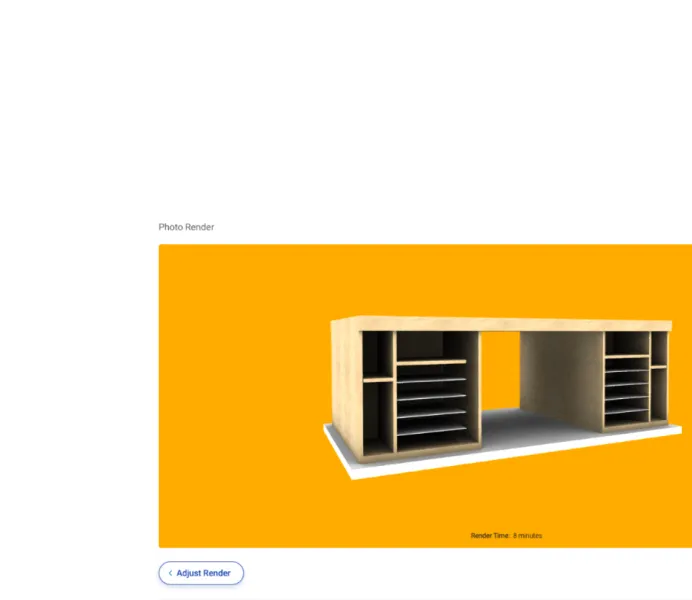
Wow clients, friends, and family with the photorealistic 3D image before you even start building.
Instant updates simplify client collaboration and reduce back-and-forth revisions. You can save and share any drawing or image in standard file formats.
Integrated reporting ensures that project changes are reflected in all reports instantaneously.
Automated material costing helps you make accurate bids.
Automated reports show how much material you need and help prevent CNC cutting errors. Shopping lists detail the required materials, quantities, and costs.
Layout optimization reduces scrap and trims material costs. A by-product of the optimizer is the DXF file for interfacing with computer-aided design for precise CNC cutting.
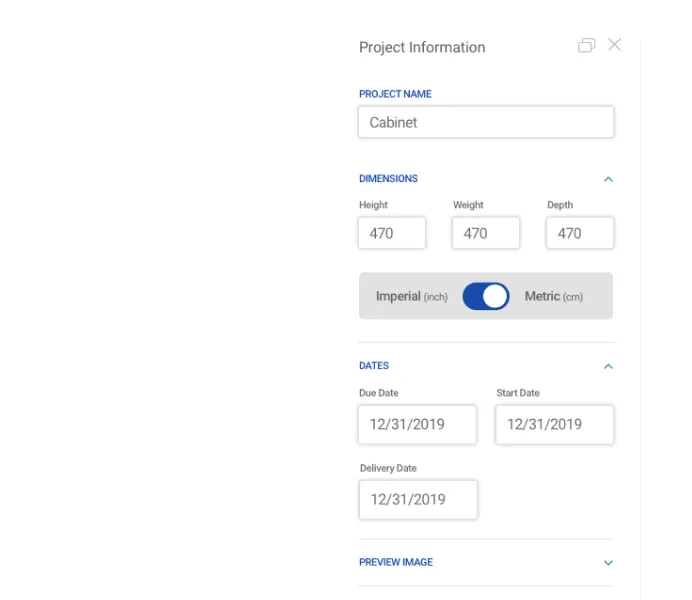
Metric and imperial options allow you to work in either measurement system.
Import any photo to incorporate diverse wood types, colors, and grains into your designs.
Product Comparison
Why Choose SketchList 3D Over Other Woodworking Design Programs
View the table below to get more insight into the advanced features of our CAD software. We also compare SketchList 3D with other design software options on the market. Curious to read more about how we stack up with our competitors? Read more on how SketchUp was not designed for woodworking.
Features
SketchList 3D
SketchUp
Fusion 360
Designed specifically for woodworkers
Automated material costing
Metric and imperial
Built-in joinery options
Drag & drop features
3D Modelling
Mimics the way woodworkers think
Weekly woodworking support & training workshops
Microsoft Windows 7 or newer
SketchList 3D
SketchUp
Fusion 360
Automated material costing
SketchList 3D
SketchUp
Fusion 360
Metric and imperial
SketchList 3D
SketchUp
Fusion 360
Built-in joinery options
SketchList 3D
SketchUp
Fusion 360
Drag & drop features
SketchList 3D
SketchUp
Fusion 360
3D Modelling
SketchList 3D
SketchUp
Fusion 360
Mimics the way woodworkers think
SketchList 3D
SketchUp
Fusion 360
Weekly woodworking support & training workshops
SketchList 3D
SketchUp
Fusion 360
When compared with Sketchup or Fusion 360, it’s clear that SketchList 3D is the only carpentry design software that truly is built to mimic the way a woodworker thinks. If you’re struggling when trying to create Sketchup cabinets, stop wasting time and win more bids, work smarter. Try out SketchList 3D with our woodworking design software free trial!
Design Possibilities
What Can You Make with SketchList?
The beauty of custom woodworkers is that if you can imagine it, you can build it. And 3D modeling is the best way to bring your ideas to life!
Nearly 5,000 people, just like you, have trusted us to help them transform their woodworking workflow and achieve their goals. Join the SketchList 3D community and reignite your passion for woodworking.
Plain AWESOME software! I’ve had Sketchlist for a few weeks now and already sold four jobs with it. I just figured out how to put all 4 wardrobes into one project and run the optimizer to see what materials to order! Thanks, you just saved me some time! Thanks again for all the hard work you put into your product to make it amazing, you thought of everything. I can’t wait to discover all the tricks and tips in the future.
Shawn Jensen
Cabinet Designer
I am a beginner at woodworking but a veteran PC user (software developer/tech) so being able to use software to build the furniture I want in an intuitive manner before trying to figure it out in the real world is a huge plus for me. I have been trying to figure out a desk design for my studio for over six months without much luck, with SketchList I got it down in about 8 hours.
Pat Kelley
Hobby Woodworker
I have to say, I’m impressed with your product – so much so I did purchase after the trial. I’m truly a “basement shop” hobbyist! I’ve dabbled in woodworking in school and on and off again. After an office remodel, I decided to make a desk to my liking instead of wasting time and effort shopping for one. Love the software, keep up the great work. 🙂
Todd
Hobby Woodworker
I am a brand-new customer and, after 30 minutes, have fallen in love with SketchList Hobby. Your program is exactly what I needed – and it is so easy to use. In my first 30 minutes of use, I learned all about SketchList Hobby as I entered my current project. It’s just a simple crate, but it has to be exactly right in order to protect the contents that will be stored within. As I learned more about the program, and took advantage of the different views and tools, I found more than one…
John Canning
Furniture Builder
SketchList3D
Sign Up to Experience the Future of Carpentry Design Software
SketchList 3D V5 gives you the stress-free design experience you’ve been looking for. Sign up for 30 days of our woodworking design software free trial. No credit or card is required.
Sign Up Today
Enter your information below in order to download the Free Trial.
Please check your Spam/Promotions if you don’t see the email.