Intuitive Cabinet Design Software for Savvy Cabinet Makers
You need a cabinet design software solution that takes the pain out of designing. Sometimes trying to learn and use overly complicated CAD software is painful or at least very frustrating. It actually gets in the way of a smooth and profitable road to good design. The lack of tools and terms created specifically for woodworking creates barriers to your understanding and limits your success. Eliminate guesswork, reduce costly mistakes, and simplify your entire workflow with SketchList 3D. Create visually stunning 3D renderings of your designs in just three steps, helping you see how your work will look before it’s complete.
Is Your Current Cabinet Building Software Putting Limits on Your Productivity?
You know how it goes, you’re itching to start designing something but keep getting bogged down by your overly complex and complicated cabinet-making software – that, clearly, wasn’t designed for woodworking. You’re not alone. More and more woodworkers report that designs, proposal generation, and modifications are the biggest bottlenecks in their business.
CAD programs have a deeply rooted problem when it comes to woodworking
The problem with using CAD programs is that, as a user, you need to learn the complexities and a host of details to get the design to capture and illustrate your customers’ wishes or desires. This takes too much time and puts you at a competitive disadvantage. No wonder most woodworkers stay with pencil and paper. As slow and rigid that is, at least you can understand it. But it’s just not the best solution.
You wouldn’t use dull tools. Why use dull design software?
Whether you’re a cabinet-building professional or an avid woodworking hobbyist, you can’t do good work without a good design, a set of floor plans, and accurate reports.
Designed specifically for woodworking (including cabinet making), SketchList 3D works the way you do. It allows you to create fully customized cabinetry designs quickly and easily while maintaining the flexibility needed to match your design with how you work in the shop.
With SketchList, you can fully customize every aspect of your cabinet design from start to finish. The infinite customization options enable you to create what you need in a way that reflects your unique work style and production capabilities.
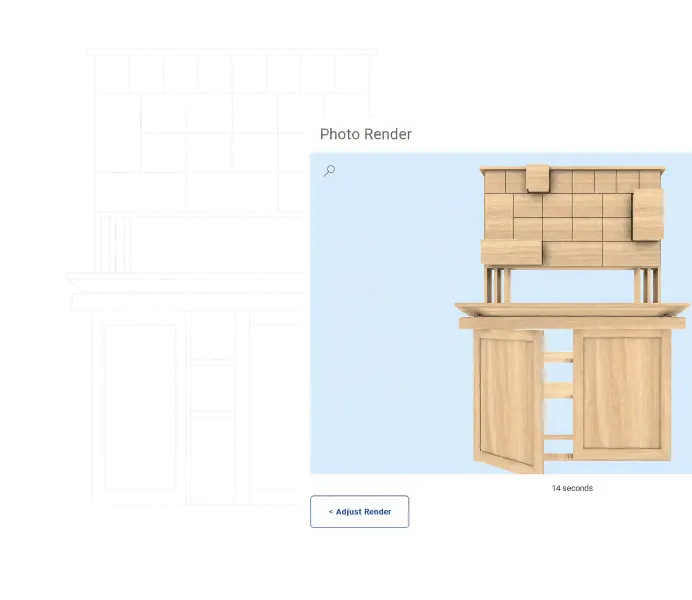
Simple as that. A three-dimensional rendering of your custom cabinet design will instantly appear on the screen. All your lists, reports, spreadsheets, and layouts will automatically be ready to print.
All that’s left now is to move to the shop and bring your design to life.
With SketchList, you can quickly and easily produce stunning mock-ups, cut lists, and material layouts for any project type. Working with the cabinet planner, you can create stunning cabinet designs in a simple three-step process:
01
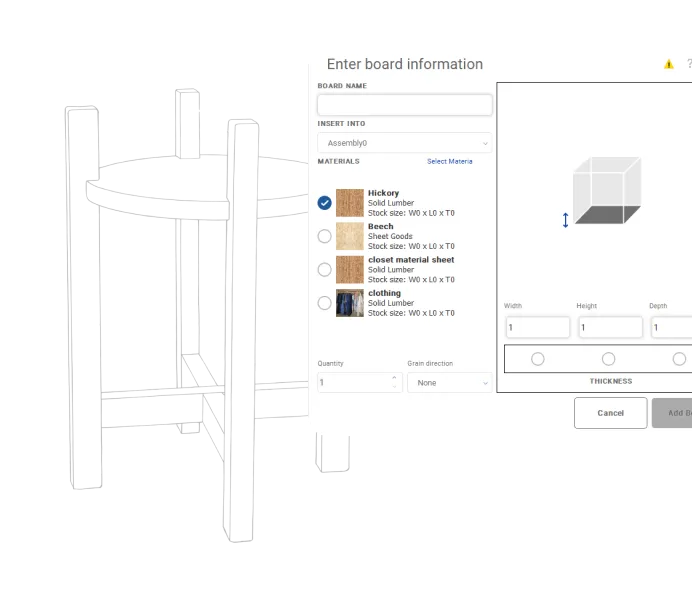
Cut virtual boards to size
02
Insert them into the design
03
Locating them in the design
Foundations
What is Cabinet Design Software?
Cabinet design software is a computer application that helps you create project plans, layouts, and cabinet designs while automatically generating material requirements, parts layouts, and cut lists. It simulates the same processes you perform when cutting and assembling pieces in your workshop. This tool helps you assess possible issues at any stage of your work, allowing you to make any necessary fixes. All modifications are automatically adjusted throughout all reports.
Your Path to Expertise
The Path to Next-Level Carpentry
Choose a woodworking and carpentry design program that is better at streamlining your workflow. Whether you are new to the world of woodworking or can recite the different wood types in your sleep, here are the steps to take to bring your woodworking designs to the next level:
01
Sign Up for Free
Download and install SketchList 3D’s free software 30-day trial.
Every Tuesday night, we explain SketchList’s functionality and answer all questions about our kitchen design program.
What You Can Do
SketchList's Cabinet-Making Software Enables You to
Win More Bids
Build trust and confidence with your potential customers early on in a project because the designs and 3D renderings appeal to them and tell them that you are the right person for the job.
Create and Use Standard Objects
Gain inspiration from our library of materials, objects, layout templates, and projects. You can also custom-build your own hardware, materials, boards, shelf units, entertainment centers, and more to save you time.
Avoid Costly Mistakes
Designing a project virtually allows you to easily spot and eliminate mistakes. Make design adjustments for your cabinets before buying materials and, more importantly, before making a single cut.
Create Marketing Assets
Produce high-quality before and after images for your website, catalog, and social media with just a few clicks. These accurate reports and 3D renderings serve as powerful marketing assets for use in any media.
Run Accurate Reports
Reports are automatically generated and modified as you develop your project. They provide complete parts and cut lists, shop drawings, estimated job costs, and material layout diagrams for your cabinets.
Save Time & Money
Cut proposal generation by more than half while actually increasing the level of accuracy. Use the SketchList 3D optimized layout report to reduce scraps and control job costs. Apply the productivity tools to quickly make design changes and adjustments while maintaining a cost-effective design process.
Compelling Cabinet Design Features You’ll Find in SketchList 3D
Let SketchList 3D take care of all of the exacting project details! Our cabinet shop drawing tool lets you quickly and intuitively create detailed designs.
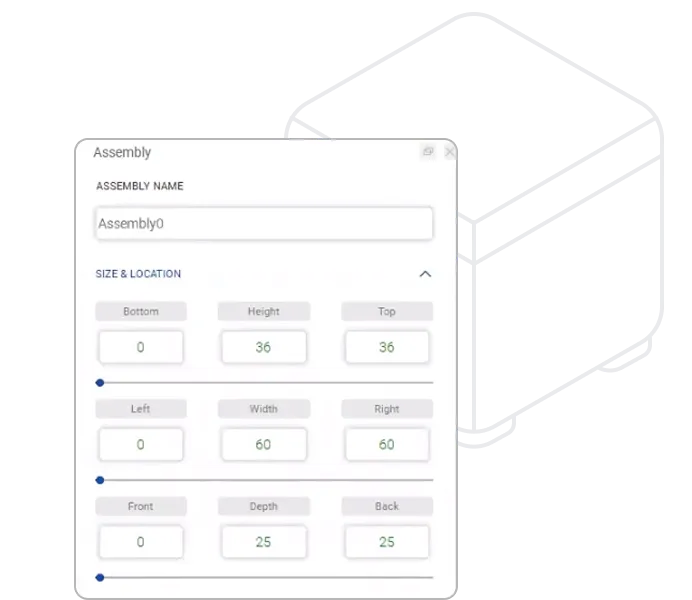
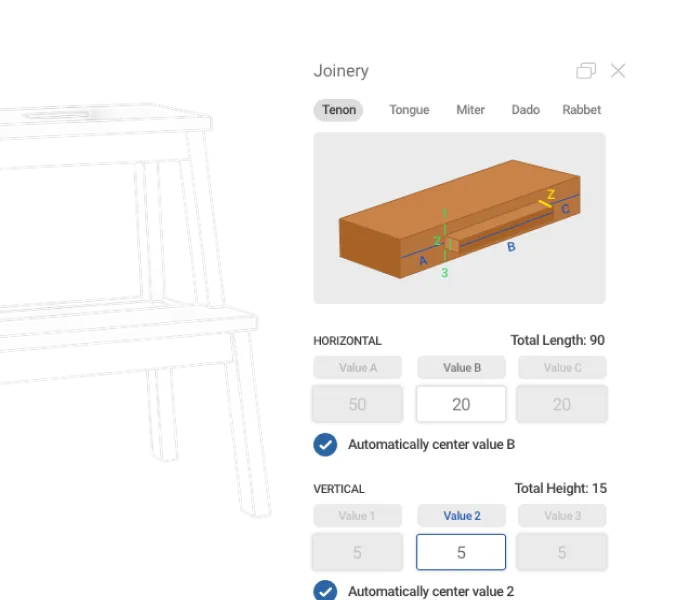
Mouse-click contours, holes, joints, and lines
Mouse-click sizing, cloning, spacing, and mirroring
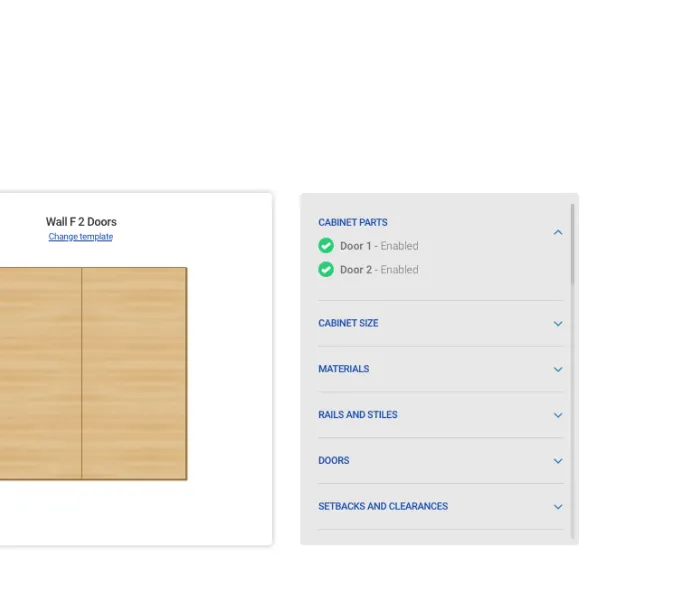
Cabinet Wizard design tool to create and modify basic building blocks
Export design files (DXF) for CNC machines
Templates library
Estimate job costs
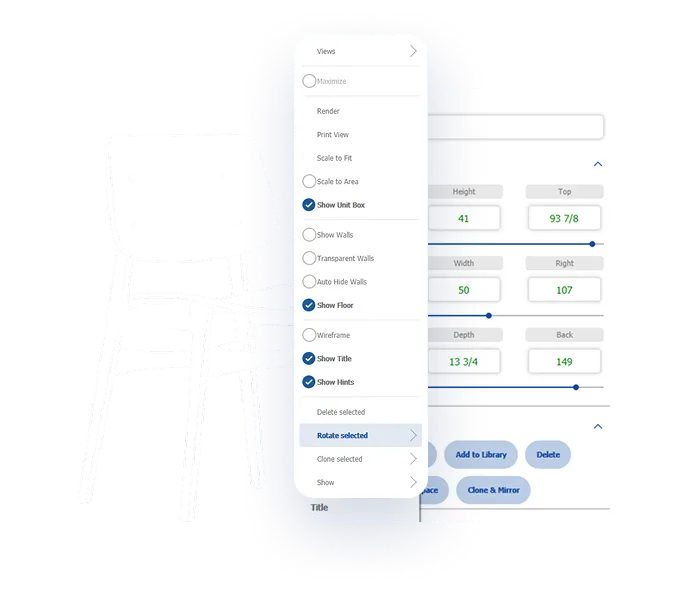
Easy-to-use software navigation
Customizable and intuitive interface
Customizable and intuitive interface
Realistic project renderings
Automated cut lists report
Product Comparison
See How SketchList 3D Measures Up Against Other Custom Cabinet Design Tools
Getting the right cabinet builder software is crucial for creating realistic and accurate designs. Discover the top cabinet design tools on the market and see how they stack up against SketchList.
Features
SketchList 3D
SketchUp
Fusion 360
Cabinet Design
Customizable Cabinet Libraries
Automatic Bill of Materials
3D Visualization
Dynamic Dimensioning
Microsoft Windows 7 or newer
SketchList 3D
SketchUp
Fusion 360
Automated material costing
SketchList 3D
SketchUp
Fusion 360
Metric and imperial
SketchList 3D
SketchUp
Fusion 360
Built-in joinery options
SketchList 3D
SketchUp
Fusion 360
Drag & drop features
SketchList 3D
SketchUp
Fusion 360
3D Modelling
SketchList 3D
SketchUp
Fusion 360
Mimics the way woodworkers think
SketchList 3D
SketchUp
Fusion 360
Weekly woodworking support & training workshops
SketchList 3D
SketchUp
Fusion 360
When compared with Sketchup or Fusion 360, it’s clear that SketchList 3D is the only carpentry design software that truly is built to mimic the way a woodworker thinks. If you’re struggling when trying to create Sketchup cabinets, stop wasting time and win more bids, work smarter. Try out SketchList 3D with our woodworking design software free trial!
Design Possibilities
What Can You Make with SketchList?
The beauty of custom woodworkers is that if you can imagine it, you can build it. And 3D modeling is the best way to bring your ideas to life!
Nearly 5,000 people, just like you, have trusted us to help them transform their woodworking workflow and achieve their goals. Join the SketchList 3D community and reignite your passion for woodworking.
Plain AWESOME software! I’ve had Sketchlist for a few weeks now and already sold four jobs with it. I just figured out how to put all 4 wardrobes into one project and run the optimizer to see what materials to order! Thanks, you just saved me some time! Thanks again for all the hard work you put into your product to make it amazing, you thought of everything. I can’t wait to discover all the tricks and tips in the future.
Shawn Jensen
Cabinet Designer
I am a beginner at woodworking but a veteran PC user (software developer/tech) so being able to use software to build the furniture I want in an intuitive manner before trying to figure it out in the real world is a huge plus for me. I have been trying to figure out a desk design for my studio for over six months without much luck, with SketchList I got it down in about 8 hours.
Pat Kelley
Hobby Woodworker
I have to say, I’m impressed with your product – so much so I did purchase after the trial. I’m truly a “basement shop” hobbyist! I’ve dabbled in woodworking in school and on and off again. After an office remodel, I decided to make a desk to my liking instead of wasting time and effort shopping for one. Love the software, keep up the great work. 🙂
Todd
Hobby Woodworker
I am a brand-new customer and, after 30 minutes, have fallen in love with SketchList Hobby. Your program is exactly what I needed – and it is so easy to use. In my first 30 minutes of use, I learned all about SketchList Hobby as I entered my current project. It’s just a simple crate, but it has to be exactly right in order to protect the contents that will be stored within. As I learned more about the program, and took advantage of the different views and tools, I found more than one…
John Canning
Furniture Builder
SketchList3D
Sign Up to Experience the Future of Carpentry Design Software
SketchList 3D V5 gives you the stress-free design experience you’ve been looking for. Sign up for 30 days of our woodworking design software free trial. No credit or card is required.
Sign Up Today
Enter your information below in order to download the Free Trial.
Please check your Spam/Promotions if you don’t see the email.
Product Comparison
See How SketchList 3D Measures Up Against Other Custom Cabinet Design Tools
Getting the right cabinet builder software is crucial for creating realistic and accurate designs. Discover the top cabinet design tools on the market and see how they stack up against SketchList.
Features
SketchList 3D
SketchUp
Fusion 360
Cabinet Design
Customizable Cabinet Libraries
Automatic Bill of Materials
3D Visualization
Dynamic Dimensioning
Microsoft Windows 7 or newer
SketchList 3D
SketchUp
Fusion 360
Automated material costing
SketchList 3D
SketchUp
Fusion 360
Metric and imperial
SketchList 3D
SketchUp
Fusion 360
Built-in joinery options
SketchList 3D
SketchUp
Fusion 360
Drag & drop features
SketchList 3D
SketchUp
Fusion 360
3D Modelling
SketchList 3D
SketchUp
Fusion 360
Mimics the way woodworkers think
SketchList 3D
SketchUp
Fusion 360
Weekly woodworking support & training workshops
SketchList 3D
SketchUp
Fusion 360
When compared with Sketchup or Fusion 360, it’s clear that SketchList 3D is the only carpentry design software that truly is built to mimic the way a woodworker thinks. If you’re struggling when trying to create Sketchup cabinets, stop wasting time and win more bids, work smarter. Try out SketchList 3D with our woodworking design software free trial!