Work Better, Design Faster with Kitchen Design Software
You didn’t get into woodworking to spend sleepless nights fixing report errors or redrawing the same layout again and again. You work with wood to build—beautifully, precisely, and with pride. And you expect to make a good living as well.
Even the smallest client change can feel like starting over. Suddenly your cut list is wrong, drawings must be re-done, and you feel the progress you made starts slipping through your fingers.
It’s not you or your market—it’s your tools, and it’s time for something better. Switch to the right kitchen planner tool and get back to creating with clarity, confidence, and joy—while boosting your profits.
Professional Kitchen Design Software Tailored to Your Needs
SketchList 3D is professional kitchen design software made for speed, precision, and ease of use. Running on either a Mac or PC, it’s the ideal software for kitchen design—perfect for crafting stunning 3D layouts fast.
Skip complex CAD systems and enjoy intuitive kitchen planning features built for busy designers. Whether you’re creating custom cabinetry or full kitchen layouts, our 3D kitchen design software helps you present ideas clearly, make quick edits, and impress clients with lifelike visualizations.
Built for the Job: Kitchen Planner Software That Works the Way You Do
Unlike traditional CAD software, which was built for architects, SketchList 3D is a 3D kitchen design program specifically designed for kitchen designers and woodworkers. With kitchen planner software built in, it simplifies your workflow by generating real-time cutlists and material reports, helping you avoid costly mistakes.
This means that when you change one part of your design, every related part updates automatically—cut lists, layouts, and materials. No manual revisions. No backtracking. Just accurate, up-to-date plans, instantly. That alone can save you hours per project—and hundreds over the course of a year.
You’ll also see exactly what you’re building—before you ever touch a board. Full-color, realistic 3D renderings remove the guesswork, making it easier to align with clients, minimize confusion, and reduce costly mid-project changes.
Powerful Features & Even Better Designs
SketchList 3D goes beyond just drawings—it brings together your entire project in one place. Crafted specifically for woodworkers and kitchen designers, our easy-to-use kitchen design software uses intuitive tools that use real-world terms from day one.
From generating 3D images and shop-ready drawings to organizing materials and version history, SketchList 3D keeps your workflow clean, accurate, and efficient.
Our advanced kitchen planner empowers you to take control of every aspect of your project. When a client requests a change, you don’t need to redraw everything. You’re just a click away from updating the entire design, from cut lists to layout diagrams, meaning it’s the best kitchen design software for quickly quoting accurate designs.
With our cabinet design software, you stay in control, meaning you can focus on what matters most—delivering quality work on time, every time.
Foundations
What is SketchList? A Professional 3D Kitchen Design Software
SketchList is the all-in-one tool that enables you to become a virtual kitchen designer in minutes. Our kitchen rendering software comes with customization options for objects, colors, and materials, enabling you to create advanced 2D and 3D photo renderings of cabinets, countertops, and more. This means your customers can see every detail of the final product and sign off on it before you even schedule the job, buy the materials, or make the first cut.
Your Path to Expertise
Mastering Kitchen Design
with the Right Software
Embarking on a kitchen remodel? SketchList provides the swift solution you’ve been seeking. With our top-tier kitchen professional design software, you gain access to a diverse kitchen planner, a comprehensive library of models, and adaptable templates to suit your unique style or requirements. Say goodbye to endless hours juggling various tools and precious woodworking resources with the woodworking design software. Even the best kitchen design 3D software has a learning curve. But with SketchList, we make the journey smooth. Dive into our 4-step guide to mastering our platform:
01
Engage with our Video Series
Delve into the essentials with our video series. Understand our foundational concepts, flow, and tool functionalities. With just three primary steps in SketchList’s design approach, you’ll soon become proficient.
Opt for our free trial to immerse yourself hands-on. Should you face any hitches during installation or kickstarting your journey, our team is just an email or text away.
03
Join Our Online Woodworking Seminar
Every week, we convene to discuss SketchList’s nuances, address queries, and explore the realms of design. It’s a great way to connect, learn, and share.
For professionals on tight deadlines or those needing intricate bid details and production reports, we’re here to help. Simply give us a call, and let’s discuss your needs.
Unlock the potential of advanced kitchen cabinet design software, optimize your kitchen drawing 3D projects, and transform your kitchen floor plans software experience with SketchList.
What You Can Do
Top Benefits of Using SketchList as Your 3D Kitchen Design Software
Curious about the capabilities of top-tier kitchen planner software? Imagine crafting a sophisticated kitchen design in just under an hour. With our kitchen design software, not only is this attainable, but the output also surpasses the limitations of pencil and paper.
Detail-Rich Modeling
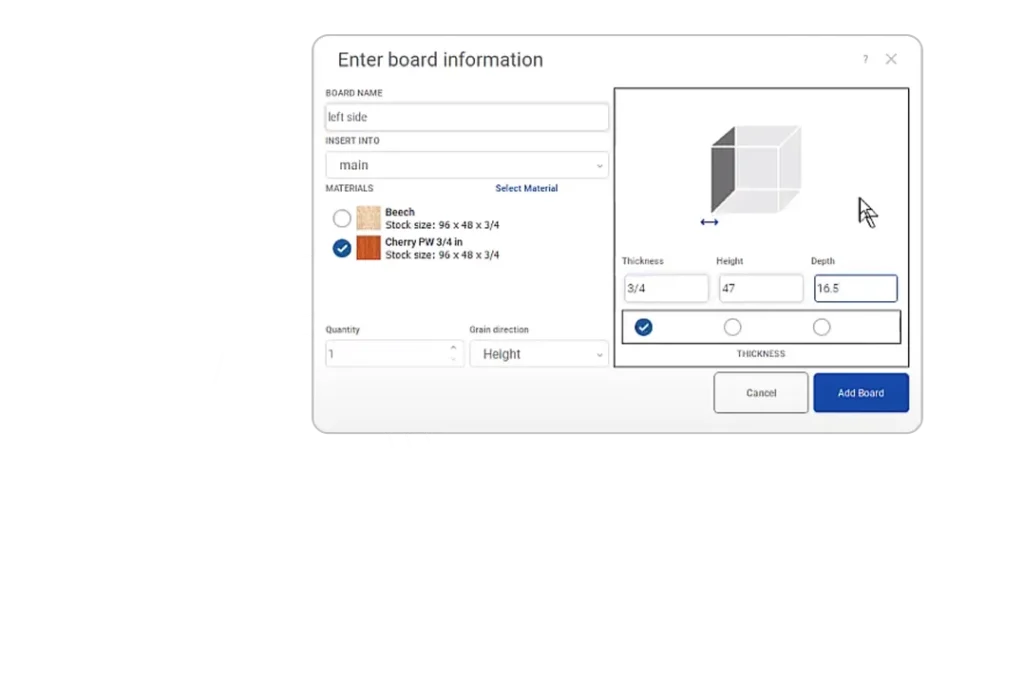
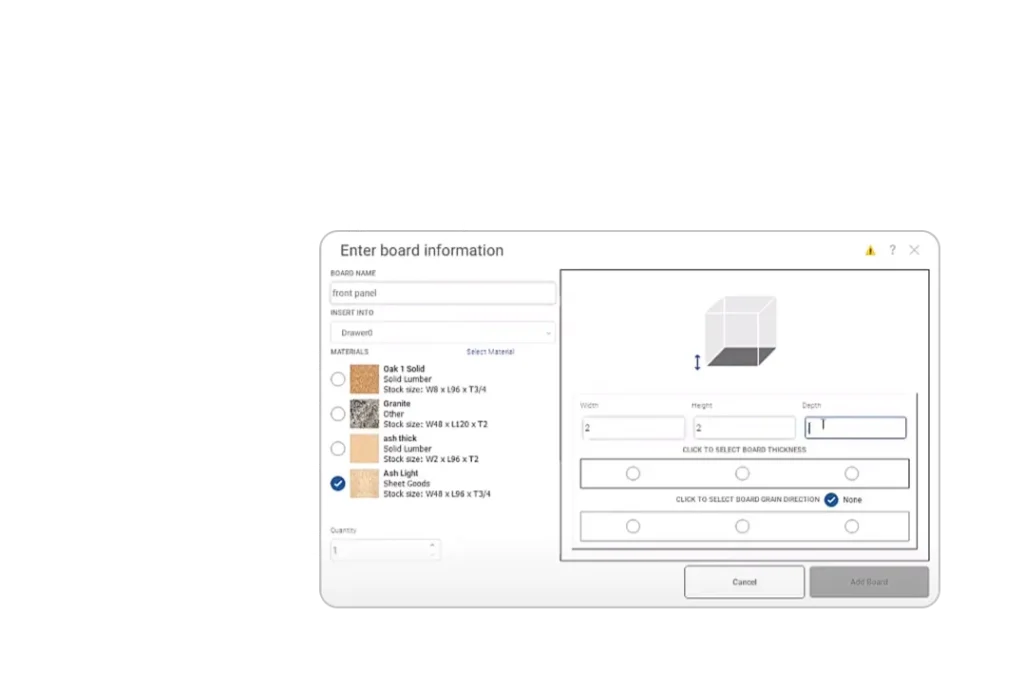
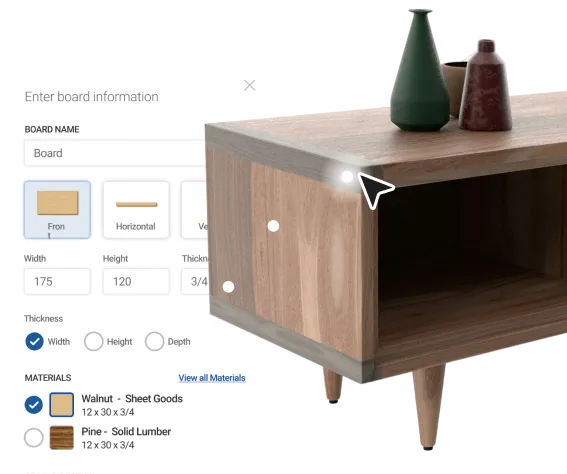
With SketchList, design as you envision. Our kitchen design program for Mac and Windows aligns with your thought process, allowing for a seamless workflow. Integrate joinery, contours, holes, angles, and board forms with unparalleled precision and finesse.
Effortless Design Modifications
Stay agile in your design approach. Client feedback, whether approvals, revisions, or rejections, can be instantly incorporated. Witness rapid transformations with our interactive 3D visuals, fostering deeper client involvement and instilling a sense of project ownership.
Boost Sales Through Immersive Visuals
Produce designs enriched with bespoke details, integrating photos and lifelike backgrounds of clients’ spaces. With our simple kitchen design software, you can paint your client’s dream kitchen right in front of their eyes, with strikingly realistic portrayals.
Bid with Precision
When it comes to the business side, organization is key. SketchList ensures you have a comprehensive view of all material costs, enabling you to draft estimates and place bids with utmost confidence. Dive into the next-gen capabilities of our kitchen design software and redefine excellence.
Do it All With our Professional Kitchen Design Software
Generate proposals swiftly using this kitchen planner
Easy to learn drag-and-drop software – no need to be a computer expert
Print optimized layouts of materials in minutes
Create elevations and floor plans along with dimensioned drawings
Revise work, discover proposals, and fix project errors
With SketchList’s kitchen rendering software, you can create professional kitchen designs easier than ever. Design custom kitchen cabinets, create kitchen components like appliances and sinks, try out different floor plans and layouts, and show your clients’ dream kitchens as a reality.
Are you ready to take your designs to the next level? Start your 30-day free trial of our cabinet design software today and experience the difference with SketchList.
SketchList 3D is the #1 Choice for Custom Designers. We Proudly Serve
Thousands of professional kitchen designers use SketchList 3D daily.
Interior designers
General contractors
Homebuilders
Corporate users
Home Designers
Kitchen Planners
Business Owners
DIY Woodworkers
Key Capabilities
One Kitchen Design Program to Rule Them All
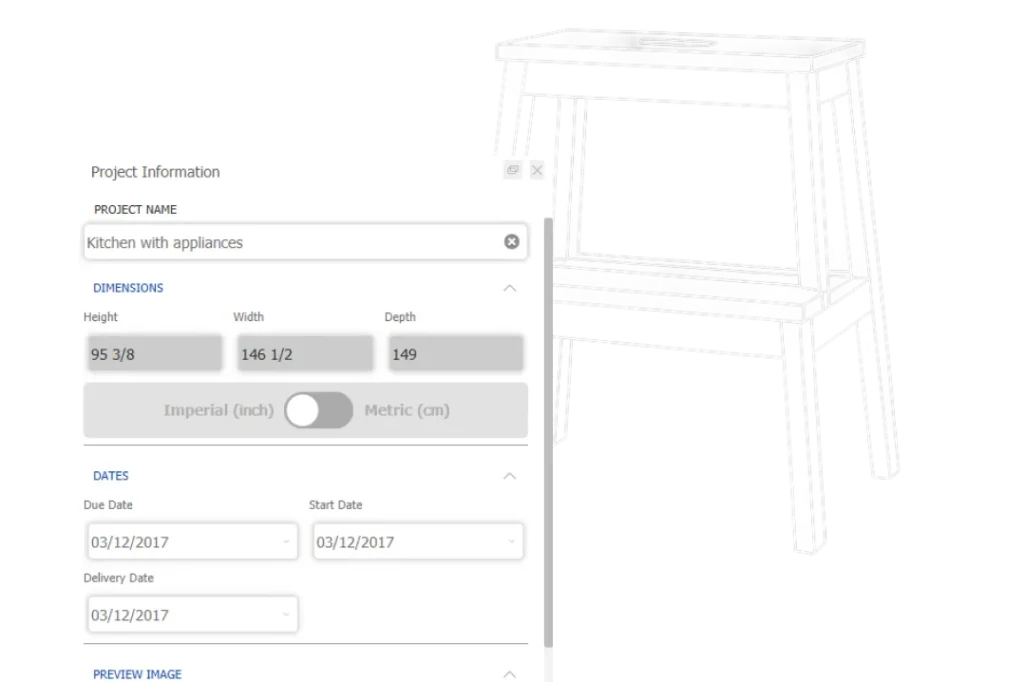
SketchList is an integrated kitchen design tool. Changes automatically apply to your shop orders, cut lists, and material layout diagrams whenever you change your design. You can save hours planning your kitchen layout and home design while creating impeccable floor plans.
Adjust kitchen layouts with a click of the mouse
Shop drawings created the way you need them.
Instant 2D and 3D view rendering – remember, good images are the key to selling jobs
Unlimited design options, wood species, grains, or material colors.
Part or cut lists and purchase order reports allow you to buy materials and get the job into the shop in short order
Product Comparison
What SetsSketchList 3D Apart from Other Kitchen Design Software Options?
Want to see how SketchList’s 3D kitchen design software measures up against other design software options available?
Features
SketchList 3D
SketchUp
Fusion 360
Customizable cabinetry
3D visualization
Material optimization
Cutlist generation
Manufacturing drawings
Dynamic component creation
Customizable cabinetry
SketchList 3D
SketchUp
Fusion 360
3D visualization
SketchList 3D
SketchUp
Fusion 360
Material optimization
SketchList 3D
SketchUp
Fusion 360
Cutlist generation
SketchList 3D
SketchUp
Fusion 360
Manufacturing drawings
SketchList 3D
SketchUp
Fusion 360
Dynamic component creation
SketchList 3D
SketchUp
Fusion 360
When compared with Sketchup or Fusion 360, it’s clear that SketchList 3D is the only carpentry design software that truly is built to mimic the way a woodworker thinks. If you’re struggling when trying to create Sketchup cabinets, stop wasting time and win more bids, work smarter. Try out SketchList 3D with our woodworking design software free trial!
Design Possibilities
The Kitchen Design Program for Every
Function and Style
Get creative with the design, style, and materials of your custom kitchen designs, and let SketchList take care of the calculations, layouts, renderings, and reports! Once you start using our virtual room designer, your projects of all styles and levels will be more precise and easier to produce.
With SketchList’s kitchen designing software, the possibilities of what you can make are endless.
Cabinets and shelves
Tables and islands
Chairs and benches
Windows and doors
And so much more!
The beauty of custom furniture design is that if you can imagine it, you can build it. And 3D modeling is the best way to bring your ideal kitchen to life without spending hours struggling with pencil drawings or CAD!
5,000 Woodworkers Can't be Wrong about our Furniture Design Program
From cabinets to a full kitchen design, join the SketchList community of over 5,000 woodworkers who have used our custom furniture design software to streamline their workflow.
Plain AWESOME software! I’ve had Sketchlist for a few weeks now and already sold four jobs with it. I just figured out how to put all 4 wardrobes into one project and run the optimizer to see what materials to order! Thanks, you just saved me some time! Thanks again for all the hard work you put into your product to make it amazing, you thought of everything. I can’t wait to discover all the tricks and tips in the future.
Shawn Jensen
Cabinet Designer
I am a beginner at woodworking but a veteran PC user (software developer/tech) so being able to use software to build the furniture I want in an intuitive manner before trying to figure it out in the real world is a huge plus for me. I have been trying to figure out a desk design for my studio for over six months without much luck, with SketchList I got it down in about 8 hours.
Pat Kelley
Hobby Woodworker
I have to say, I’m impressed with your product – so much so I did purchase after the trial. I’m truly a “basement shop” hobbyist! I’ve dabbled in woodworking in school and on and off again. After an office remodel, I decided to make a desk to my liking instead of wasting time and effort shopping for one. Love the software, keep up the great work. 🙂
Todd
Hobby Woodworker
I am a brand-new customer and, after 30 minutes, have fallen in love with SketchList Hobby. Your program is exactly what I needed – and it is so easy to use. In my first 30 minutes of use, I learned all about SketchList Hobby as I entered my current project. It’s just a simple crate, but it has to be exactly right in order to protect the contents that will be stored within. As I learned more about the program, and took advantage of the different views and tools, I found more than one…
John Canning
Furniture Builder
SketchList3D
Thousands of Kitchen Designers Can't be Wrong
You pour your heart into every project, and SketchList 3D is here to make sure your vision shines. This isn’t just software—it’s your creative partner, built to make designing kitchens and cabinetry effortless, exciting, and fun.
As a powerful kitchen planner software, SketchList 3D helps you stay ahead, stay confident, and stay inspired. It’s not about just making designs—it’s about bringing dreams to life, delivering stunning work on time, every time.
This is your craft, your passion, your masterpiece. And now, you have the perfect tool to make it all happen.
Sign Up Today
Enter your information below in order to download the Free Trial.
Please check your Spam/Promotions if you don’t see the email.